Inspect the input and output of a stage
- In KeplerGrid, choose Load sample data, open
orders, and select Aggregation. The sample workspace runs without a MongoDB connection. - Choose
$limitand click Add stage. Set Rows to3and click Run pipeline. - Select the
$limitstage. Compare the sample documents under Input with the three documents under Output. The full pipeline stays visible above the preview.
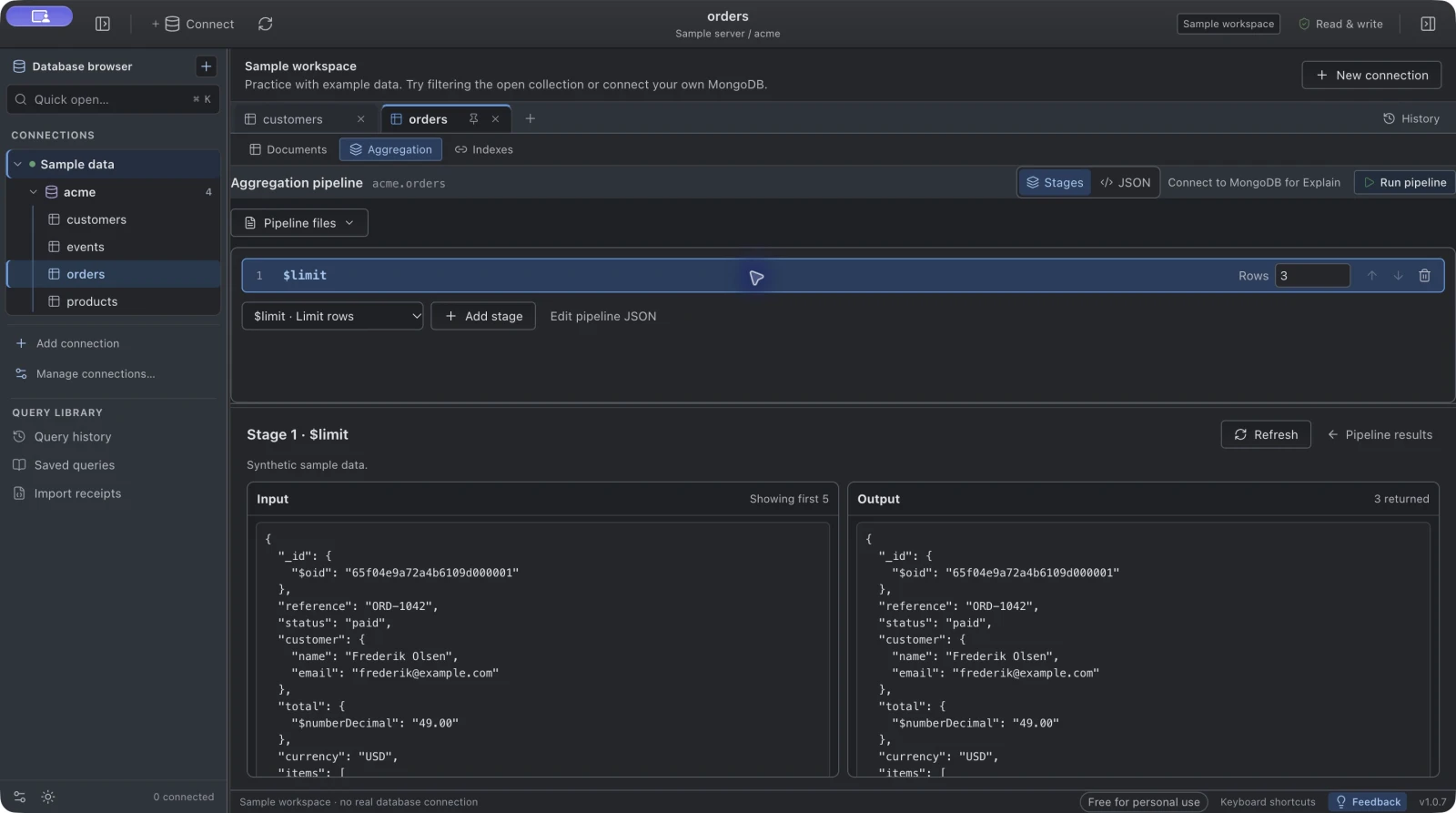
$limit stage receives an input preview and passes through three documents.See why stage order matters
Switch to JSON and run this pipeline. The first stage selects paid orders. The second stage passes through up to three of those orders.
[
  { "$match": { "status": "paid" } },
  { "$limit": 3 }
]
In the built-in sample, the pipeline returns three paid orders. Switch to Stages and select $limit. Its input should contain only orders with status: "paid".
Swap the stages and run again. With $limit first, $match receives at most three orders to inspect, so the result can contain fewer than three paid orders. Add a $sort before $limit if you need a particular order.
Export MongoDB aggregation results to CSV or JSON
How to read a MongoDB aggregation Explain plan
MongoDB query filters for ObjectId, dates, and text
Free for personal, noncommercial use. Download KeplerGrid or open the getting-started guide.
Try grouping orders by day, finding the latest order per customer, or saving and reopening the pipeline.
Try multiple summaries with $facet or compute a field in a pipeline.