A Studio 3T alternative for queries and document edits
Run a filter, inspect exact BSON values and see the document changes before you commit. Try the workflow on your own development database.
No sign-up required to download. Free for personal and noncommercial projects. 30-day work trial, no card.
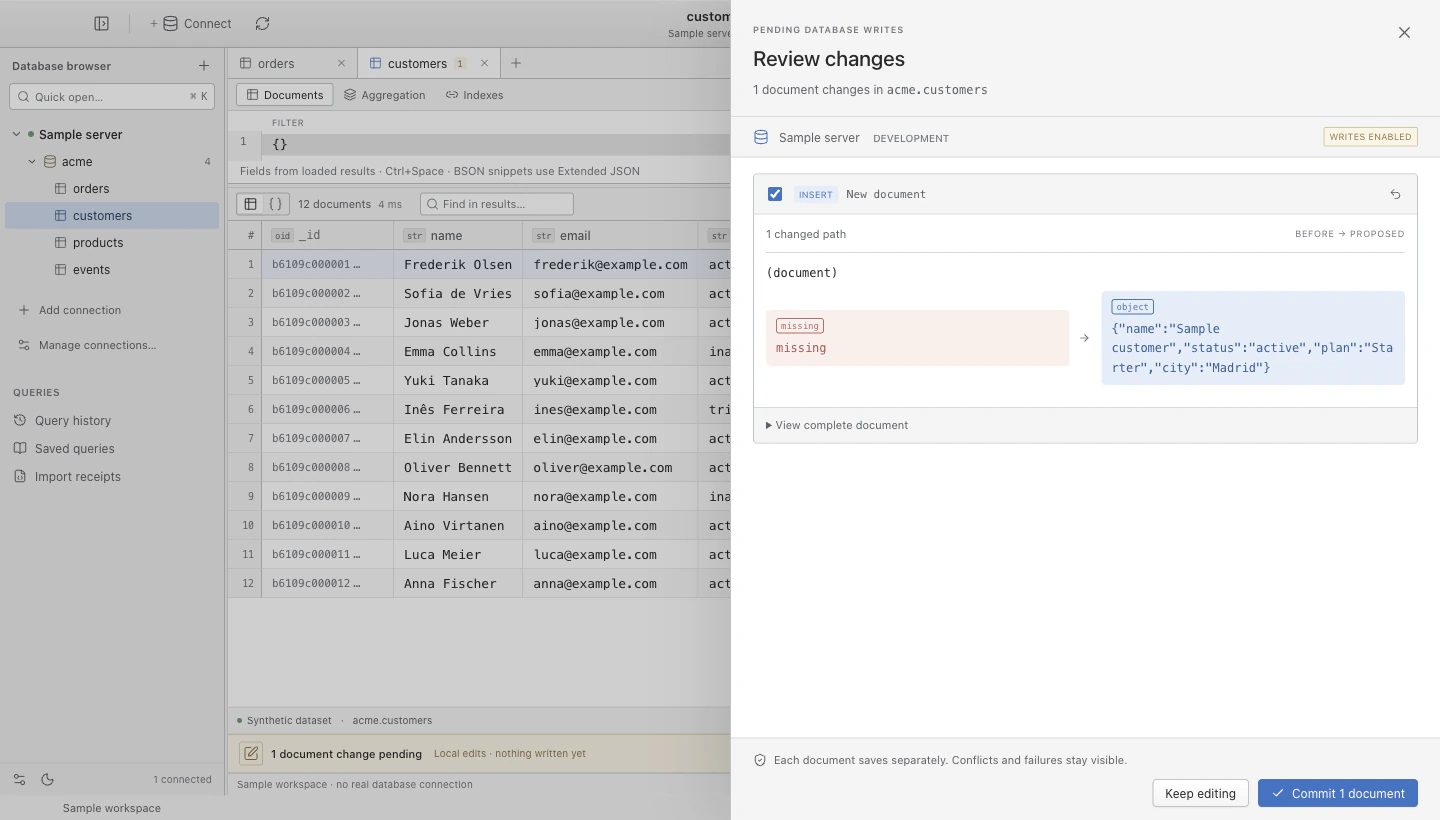
Run your daily document workflow
Filter and sort a collection, inspect fields in the grid or Canonical Extended JSON, then stage and review a document edit. For imports, review the planned documents before submitting them. Walk through a query
Check the Studio 3T features you rely on
Studio 3T’s desktop feature guide lists SQL Query, Visual Query Builder and task scheduling. If those are central to your work, keep them in Studio 3T while trying your day-to-day collection queries in KeplerGrid.
Debug a MongoDB aggregation pipeline stage by stage
Compare the licences
Studio 3T Community Edition is also available for noncommercial use. KeplerGrid is free for noncommercial use and offers a 30-day work trial with no card. The commercial licence is $49 USD per named user per year, plus applicable taxes. See KeplerGrid pricing
Try one real task
Start with Sample server, then add a read-only connection to a development database and run a filter you already use. Start with a connection
See how the workflow fits
Choose your installer or follow the Robo 3T switching guide if that’s where you’re coming from.