Run a query with all three settings
Use the 36 synthetic orders from the count guide. Open keplergrid_query_lab.orders in Documents. Paste the first object into Filter, then open Sort & projection and paste the other two objects.
Filter
{ "status": "paid" }Sort
{ "created_at": -1, "_id": -1 }Projection
{ "_id": 1, "status": 1 }Click Run. Expect ORD-031 first, with the result showing its _id and status.
Select the original query from history
- Run a different filter or open another collection so you can see which settings get restored.
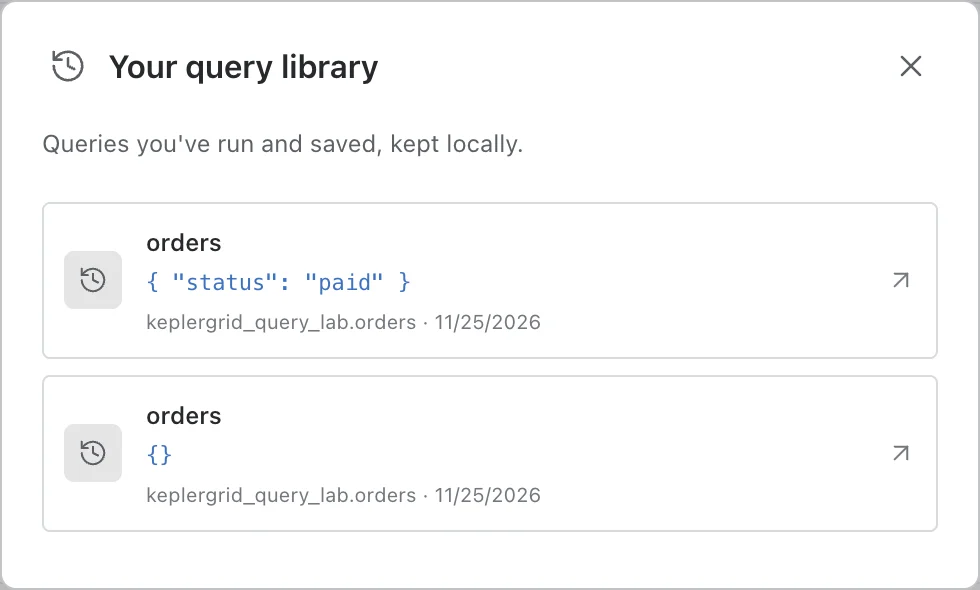
- In the sidebar, select Query history to open Your query library. Find the row with the original
{ "status": "paid" }filter andkeplergrid_query_lab.orders. - Select the row. KeplerGrid opens the recorded collection and reruns the query. Open Sort & projection to verify the restored sort and projection.
Check the recorded namespace
Each entry is tied to a connection, database, and collection. Keep the recorded connection available before selecting a query. If a session-only connection no longer exists, open the intended collection and paste the query there.
The query library keeps the filter and options locally. Rerunning retrieves fresh data, so the results may differ from the earlier run. Check the connection and collection labels before reading results or exporting them.
Use MongoDB projection to choose returned fields, or save an aggregation pipeline as a file for a multi-stage workflow.