Load the practice collection
Run once in mongosh against a development instance with an empty readings practice collection.
const lab = db.getSiblingDB("keplergrid_practice")
lab.readings.insertMany([
  { _id: "a-01", device: "A", time: ISODate("2026-04-01T08:00:00Z"), units: 12 },
  { _id: "a-02", device: "A", time: ISODate("2026-04-01T08:05:00Z"), units: 18 },
  { _id: "a-03", device: "A", time: ISODate("2026-04-01T08:05:00Z"), units: 15 },
  { _id: "b-01", device: "B", time: ISODate("2026-04-01T08:00:00Z"), units: 7 }
])
In KeplerGrid, open keplergrid_practice.readings with a Read only connection.
Read the preceding value within each device
Use MongoDB 5.0 or later. Run this from KeplerGrid Aggregation → JSON. The by: -1 offset reads one row earlier within that device’s ordered partition.
[
  { "$setWindowFields": {
    "partitionBy": "$device",
    "sortBy": { "time": 1, "_id": 1 },
    "output": {
      "previousUnits": { "$shift": { "output": "$units", "by": -1, "default": null } }
    }
  } },
  { "$set": { "changeUnits": { "$subtract": ["$units", "$previousUnits"] } } },
  { "$sort": { "device": 1, "time": 1, "_id": 1 } }
]
Device A’s change is null, then 6, then −3. The shared timestamp is ordered by ID. Device B starts its own partition with a null change.
Check which row supplied the previous value
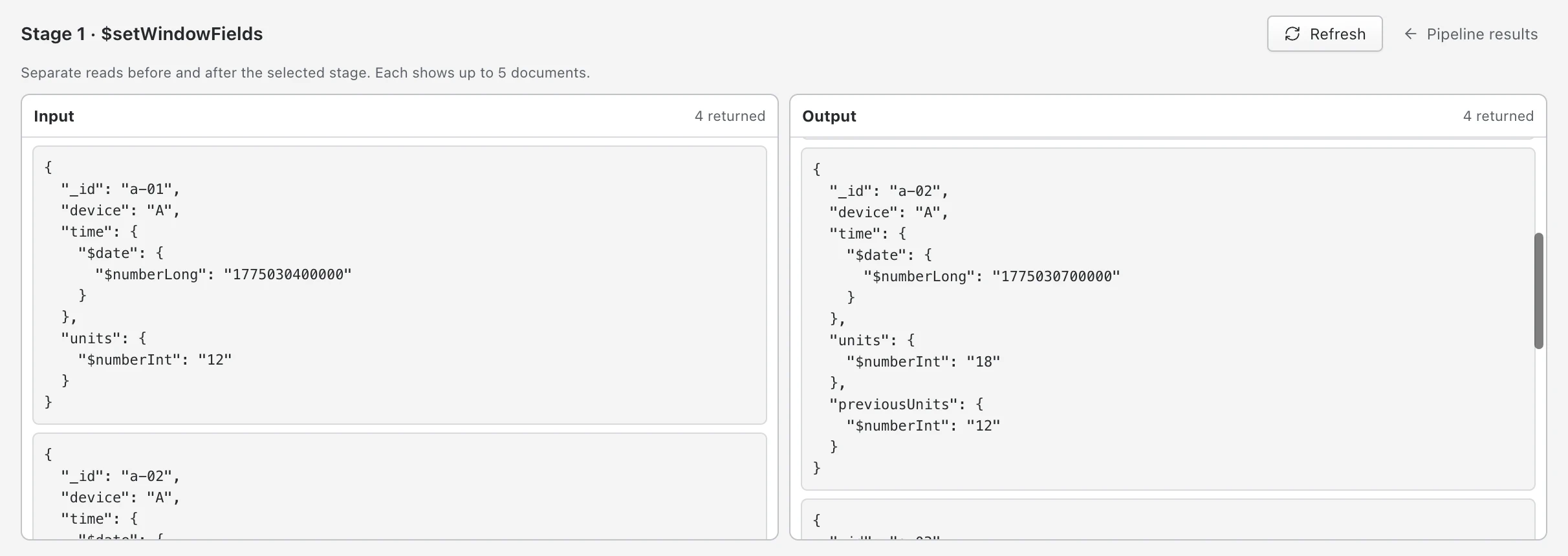
In Stages, select $setWindowFields to compare the readings with their previousUnits value in Output. The following stage calculates the change. If a filter removes earlier readings before the window stage, those readings cannot serve as previous values.
See how to choose a stable sort and tie-breaker or revisit the related KeplerGrid walkthrough.