Load the practice collection
Run once in mongosh against a development instance with an empty pickupPoints practice collection.
const lab = db.getSiblingDB("keplergrid_practice")
lab.pickupPoints.insertMany([
  { _id: "Library", location: { type: "Point", coordinates: [-3.71, 40.42] } },
  { _id: "Station", location: { type: "Point", coordinates: [-3.69, 40.41] } },
  { _id: "Depot", location: { type: "Point", coordinates: [-3.75, 40.45] } }
])
lab.pickupPoints.createIndex({ location: "2dsphere" })
In KeplerGrid, open keplergrid_practice.pickupPoints with a Read only connection.
Paste the polygon into Documents
Use a small rectangular polygon in the Documents filter. GeoJSON stores longitude before latitude. The last point repeats the first to close the ring.
{
  "location": { "$geoWithin": { "$geometry": {
    "type": "Polygon",
    "coordinates": [[
      [-3.72, 40.40], [-3.68, 40.40], [-3.68, 40.43],
      [-3.72, 40.43], [-3.72, 40.40]
    ]]
  } } }
}
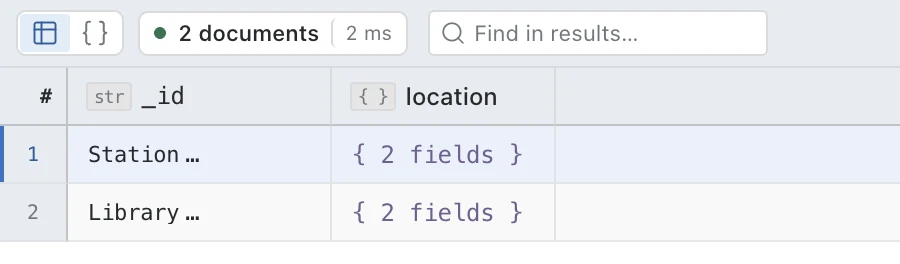
The result includes Library and Station. Depot is outside. The locations are synthetic practice data.
Check the shape if a point is unexpectedly missing
Confirm that the field contains GeoJSON Points and that the polygon uses the same coordinate order. Start with points clearly inside or outside to verify the query before investigating points on an edge.
The 2dsphere index can support this filter. $geoWithin checks containment and returns no guaranteed distance order.
See how to inspect a pipeline’s execution plan or revisit the related KeplerGrid walkthrough.