Export the whole collection
- Connect the desktop app to MongoDB. You can export from a Read only connection using a MongoDB account that can read the collection.
- In the database sidebar, right-click the source collection and choose Export documents…. Confirm the connection, database and collection shown in the dialog.
- Choose Entire collection, click Export, and pick where to save the
.jsonlfile. - Watch the document and byte counts while KeplerGrid writes the file. The percentage is approximate when MongoDB provides a count estimate. When the transfer finishes, check the reported document count and filename.
Use a destination with enough free space. Cancel transfer stops the export without leaving an incomplete output at the chosen path.
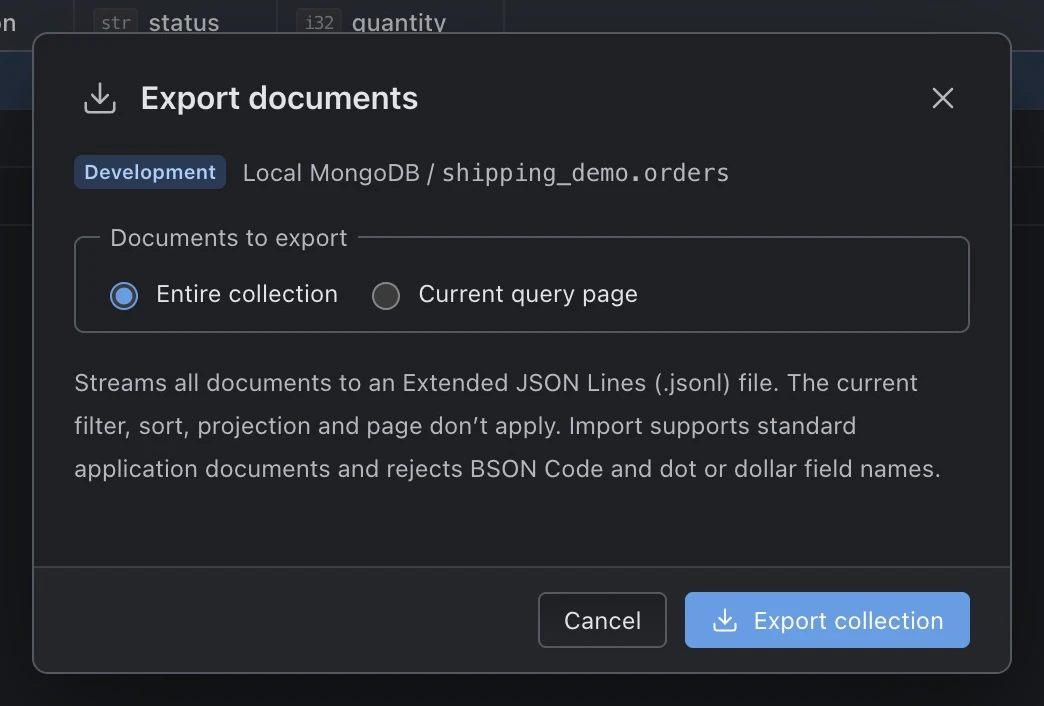
orders collection.Choose the right export
- Every document in a collection
- Use Entire collection for Canonical Extended JSON Lines.
- The current page of a query
- Use Current query page in the Documents export dialog. Choose CSV, Canonical Extended JSON, or raw BSON.
- Every result from an aggregation
- Use Pipeline files → Export full result in Aggregation for CSV or Extended JSON.
Choose a CSV option when the destination is a spreadsheet. Choose Canonical Extended JSON when the destination needs MongoDB type information.
Check the exported file
Each line is a standalone Extended JSON document. A value like {"$numberInt":"2"} records the BSON integer type. A two-document export can look like this.
{"_id":"a","n":{"$numberInt":"2"}}
{"_id":"b","n":{"$numberInt":"5"}}
Use the completion count to check how many documents were written. A streaming export reflects the documents read during the transfer. Use a database backup workflow for a point-in-time copy, indexes or collection configuration.
Import MongoDB JSON Lines into another collection
See the import and export steps or export a pipeline result to CSV or JSON.
For a subset of the collection, export every document matching a filter.
See how Canonical Extended JSON preserves large integers and BSON types.
Moving data to another server? Follow the cross-server JSON Lines walkthrough.