Create three order lines
Run the fixture in mongosh on a development server. In KeplerGrid, open the order in Documents and inspect its lines array. The target is the pending CHAIR line.
const orders = db.getSiblingDB("keplergrid_arrays").orders;
orders.insertOne({
  _id: "ORD-101",
  lines: [
    { sku: "CHAIR", state: "pending" },
    { sku: "CHAIR", state: "shipped" },
    { sku: "LAMP", state: "pending" }
  ]
});
Apply a filtered positional update
$ targets the first matching element and $[] targets every element. $[line] uses the separate arrayFilters conditions to select elements within the matching order.
const orders = db.getSiblingDB("keplergrid_arrays").orders;
orders.updateOne(
  { _id: "ORD-101", lines: { $elemMatch: { sku: "CHAIR", state: "pending" } } },
  { $set: { "lines.$[line].state": "packed" } },
  { arrayFilters: [{ "line.sku": "CHAIR", "line.state": "pending" }] }
);
Rerun the ORD-101 query after the update. The line states are packed, shipped, and pending in that order.
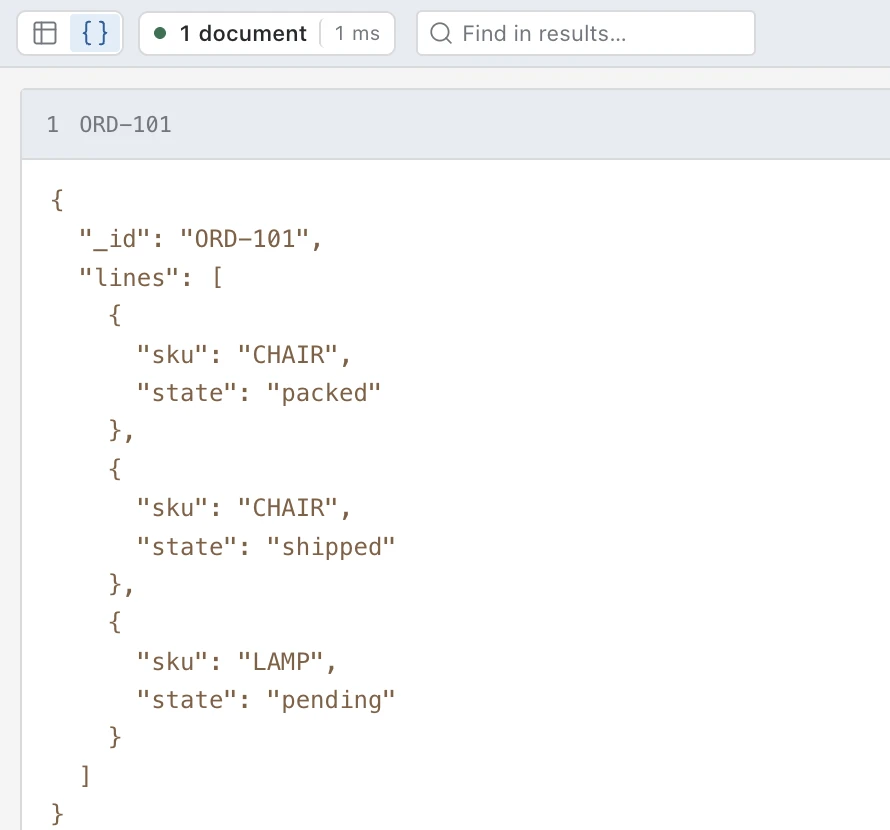
Preview array matches with $elemMatch · MongoDB filtered positional operator